
Why Every Parent Needs a Product Finder Like Popgot

Key Takeaways
- A product finder pulls verified details, prices, and dietary info into one place so you can decide without opening ten tabs.
- 58% of shoppers check ingredients before buying. Among health-focused shoppers, that jumps to 87%.
- Nearly 79% of Americans read nutrition labels on at least some grocery trips. 47% do it every time or almost every time.
- The real problem for parents isn't too little information. It's too much of it, scattered, and none of it trustworthy.
- Verifying claims across multiple retailers eats time busy parents don't have.
- AI-verified results match products to specific dietary needs without the label-squinting marathon.
- Unit pricing surfaced side by side catches the "value" packs that quietly cost more.
Why product finders matter for parents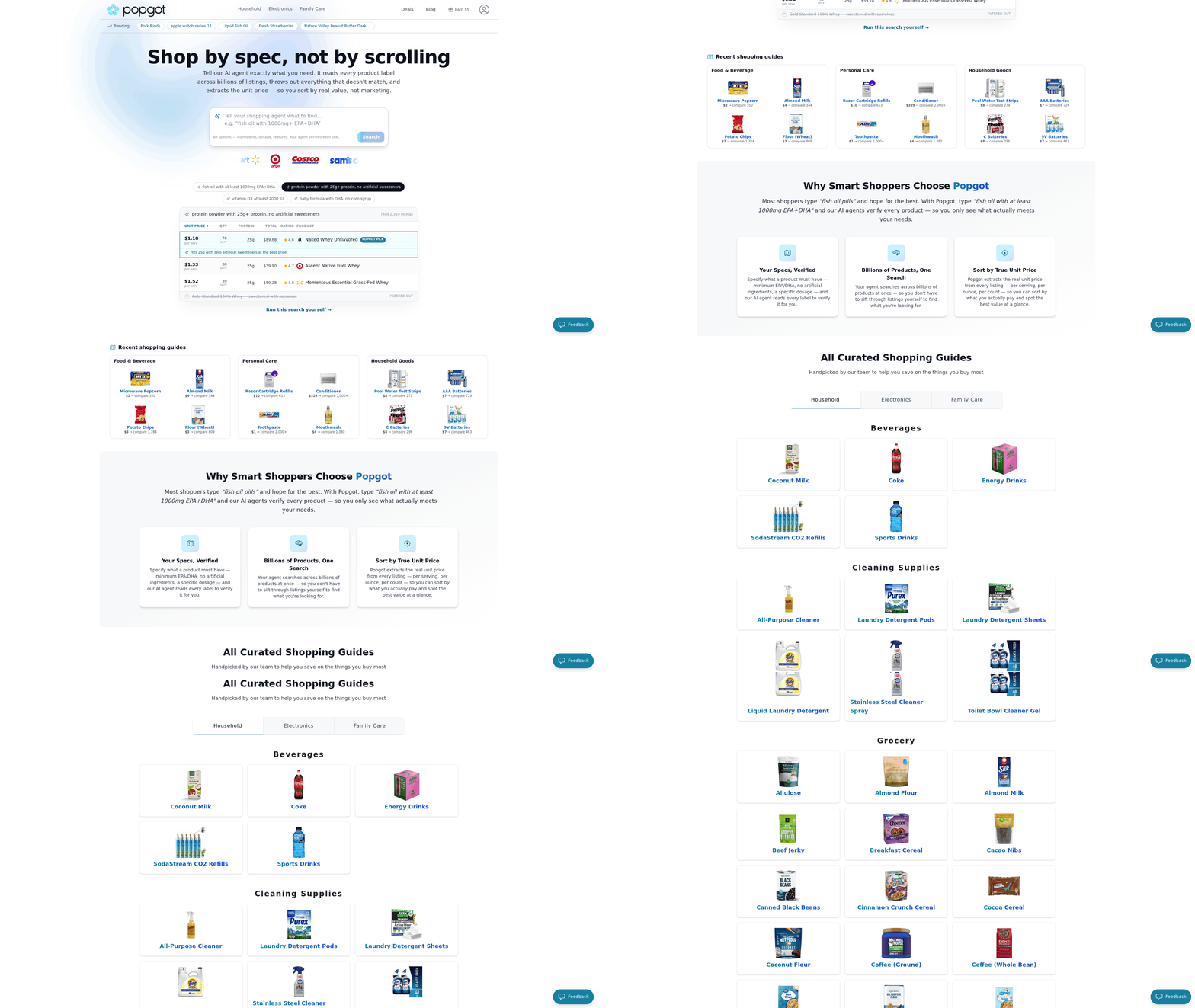
Shopping for your family got harder, not easier. You want products that are safe, healthy, and fairly priced. But the information you need to confirm any of that is spread across dozens of retailer sites and buried in cluttered labels. A product finder pulls the verified details, prices, and dietary info into one place so you can actually decide.
Parents already read labels closely. 58% of shoppers check ingredients before buying, and that climbs to 87% among health-focused consumers. A good product finder does that legwork for you, surfacing the ingredient and safety details you'd otherwise hunt down by hand.
Why finding the right product is so hard now
Too much information, too little trust. That's the core of it. Parents want products that match specific dietary needs, but verifying claims across retailers burns time nobody has.
The label-reading numbers show how seriously people take this. Nearly 79% of Americans check nutrition labels on at least some trips, and 47% do it always or almost always. That's a lot of squinting at fine print in a busy aisle with a kid pulling on your sleeve.
And the friction compounds. You compare prices on one site, check ingredients on another, then second-guess whether the thing actually fits your kid's allergy. Multiply that across a full cart and shopping turns into a chore.
What separates a useful product finder from a gimmick
A strong one cuts research time by verifying information and comparing options for you. The best combine accurate product data, price comparison, and filters built around how families actually shop.
What matters most:
- AI-verified product information confirms details before you buy, so you're not trusting a vague label claim.
- Multi-retailer search compares prices across 8 major retailers at once, no tab-hopping.
- Accurate unit pricing shows the real per-unit cost, which is how you catch deals that look cheap but aren't.
- Customizable filters screen for specific dietary needs, from allergen-free snacks to organic staples.
- Curated guides hand you quick wins when you have no time to research at all.
These features earn their place because shoppers already care deeply about ingredients. When that many people let ingredients drive their choices, a tool that filters and verifies for them removes real friction.
How this cuts down on risky buys
Accurate information lowers risk. When you can confirm ingredients before purchase, you're less likely to grab something that triggers an allergy or breaks a dietary rule.
This is where verified data earns its keep. Guessing from a blurry label photo is how mistakes happen. Verified filters rule out unsafe options before they hit your cart.
If you want more beyond product research, plenty of parenting blogs cover related family topics. Pair those with a solid product finder and the weekly shop gets a lot less stressful.
How AI verifies ingredients and dosages
AI verifies ingredients and dosages by reading product data straight off retailer sites, then checking it against a trusted reference database. It catches mislabeled products, wrong dosages, and missing allergen warnings before you ever add an item to your cart. Seconds, not hours.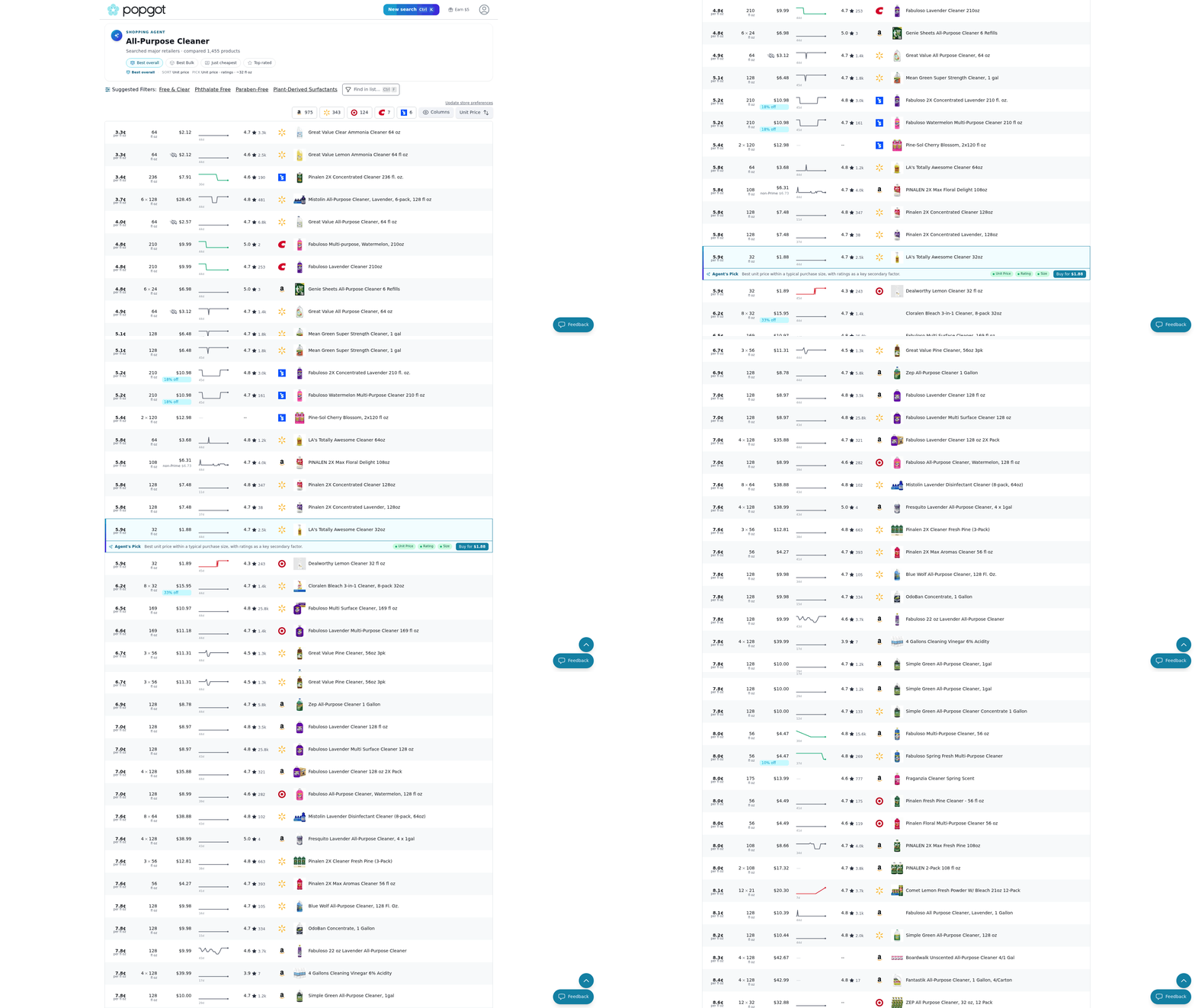
Doing this by hand is slow and error-prone. Cross-referencing one supplement label against safety guidelines can take a few minutes per product, and most shoppers quit after checking one or two items. An AI-driven finder runs that scrutiny automatically, so the details you'd squint at on a package get pulled, parsed, and confirmed for you.
How the AI pulls the information
It reads retailer web pages with natural language processing, pulling ingredient lists, dosages, and specs straight from the source. Same messy label copy you'd read, but at scale and without missing a line buried in fine print.
This solves a genuinely annoying problem. Product data lives in a different format on every retailer site. One store lists dosages in milligrams; another buries them in a spec table. NLP reads all of it and turns scattered text into structured, comparable data.
You end up with cleaner information than manual reading gives you. Instead of relying on one retailer's formatting to surface what matters, automated extraction standardizes everything so you compare products side by side without decoding each label yourself.
How verification catches errors
Verification compares the extracted data against a database of known ingredients and dosages. If a listed dosage falls outside expected ranges, or an ingredient name doesn't match a verified record, the system flags it. You see cross-checked details instead of raw retailer copy.
A study in the Journal of the American Medical Association found AI-powered verification can cut errors by up to 90%. That's the gap between trusting a label blindly and having a second set of eyes confirm it.
Take children's supplements. The system cross-references active ingredients against pediatric guidelines. If a formulation carries an unexpected concentration of a vitamin, the verification layer flags it so you skip the mislabeled option without doing the math.
Why experts back AI verification
Experts recommend it because it applies consistent safety checks that human reading misses. Dr. David Kessler, a former FDA commissioner, has pointed to AI-powered verification as a way to ensure product safety and quality. That's a strong signal for parents who care what goes into their family's cart.
The other payoff is freshness. Prices change, formulations get reworked, labels get updated. Automated verification keeps pace, so what you see reflects the current product, not a stale cached version.
For health-focused parents, that reliability is the whole point. Verified ingredients, confirmed dosages, and flagged discrepancies in one place. No toggling between tabs to double-check whether a claim holds up.
Curated guides: quick wins when you have no time
Curated guides are handpicked lists of products grouped around one specific need, so you skip the research and go straight to buying. Instead of scanning dozens of tabs, you get a short, vetted set of options chosen for parents like you. Pair that with a smart product finder and a two-hour hunt drops to a few minutes.
The appeal is simple. You want fewer decisions, not more. A good guide narrows the field to products that actually fit your criteria, whether that's clean ingredients, a budget cap, or age-appropriate safety. The National Retail Federation found curated guides boost engagement and loyalty, which tells you shoppers stick with tools that do the sorting for them.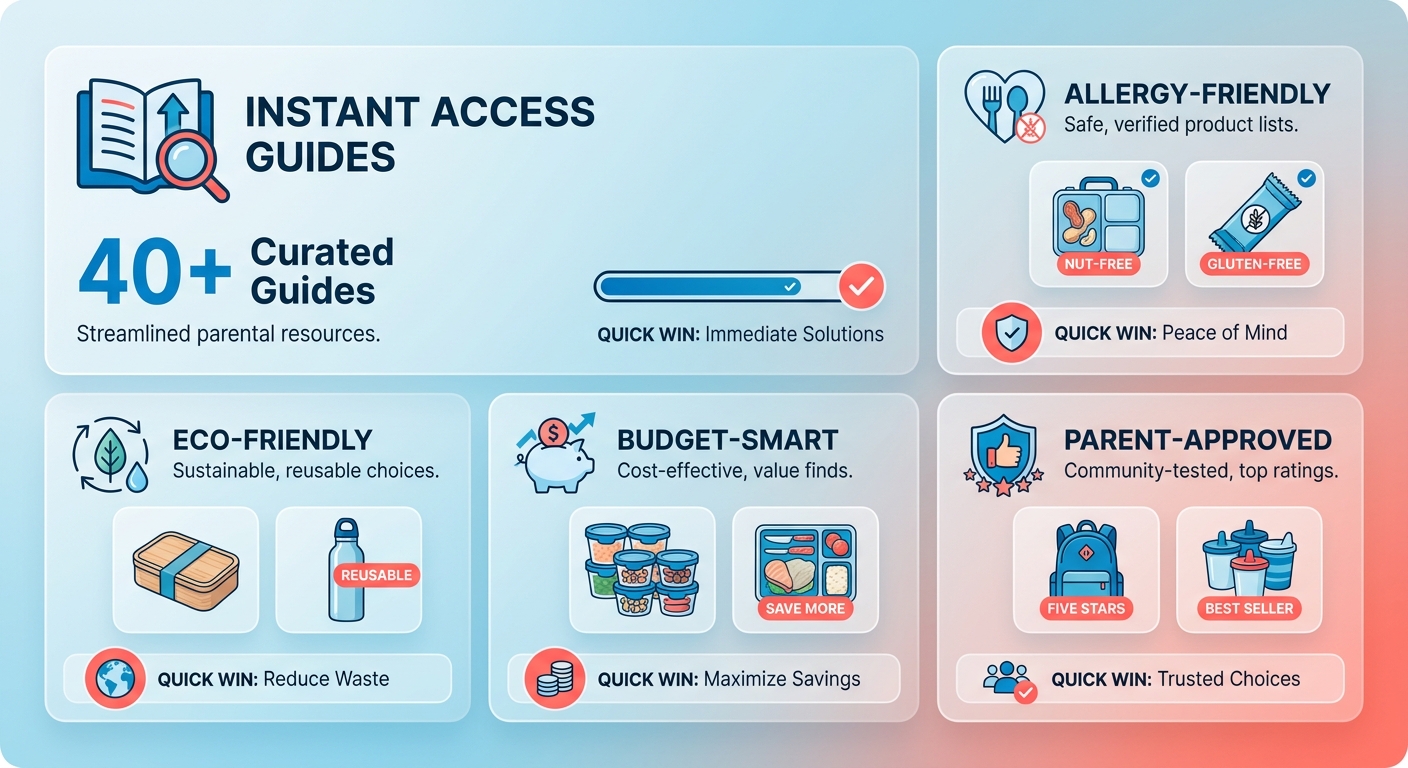
What makes a guide an actual time-saver
A curated guide is a pre-filtered list of products chosen to match a defined need. The win is time. Expert-level selection without the expert-level effort.
Think about the recurring buys that eat your week. Snacks that clear a food sensitivity, a first sunscreen for a toddler, a lunchbox that survives daycare. A guide built around one of those hands you three or four solid picks instead of forty maybes.
Money follows time. When someone's already screened for value, you stop overpaying for the flashy name and land on the option that fits your budget. It's why retail experts like Dr. Scott Galloway of NYU Stern point parents toward curated lists to sharpen buying decisions.
How guides map to what your family needs
Guides work best when they line up with your actual filters. You tell the platform what matters. The picks reflect it.
- Dietary needs: gluten-free, nut-free, low-sugar options grouped together.
- Age fit: products screened for the right developmental stage.
- Budget: value-first picks so you compare on price without hunting.
- Safety: items checked for allergen warnings and correct labeling.
You end up with a shortlist you trust. If you want more parenting insight beyond the shelf, the best parenting blogs for every family type pair well with a guide-first approach. Start with the need, let the guide do the filtering, buy with confidence.
Accurate unit pricing: comparing real value across stores
Unit pricing tells you the true cost of a product by breaking it down to a standard measure, like price per ounce or per count. It strips away package-size tricks so you can compare a jumbo box against a small pouch honestly. A good tool does the math for you across every store you shop.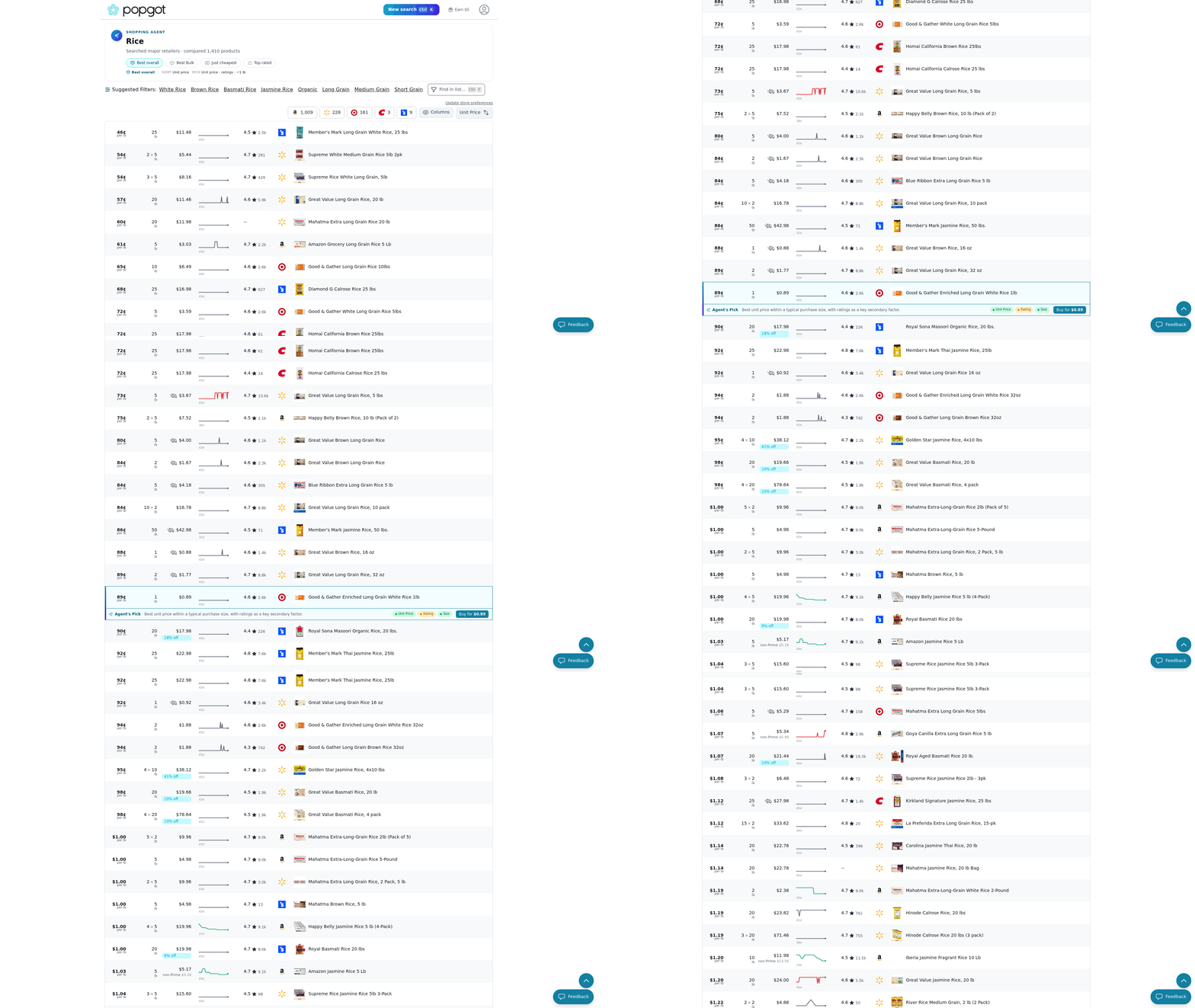
The sticker price lies to you. A bigger bottle isn't always cheaper per ounce, and a "value" pack sometimes costs more per unit than the regular size. When your product finder pulls unit prices automatically, you see which option actually wins without doing arithmetic in the aisle.
How automatic unit pricing works
Unit price is the cost of a product expressed per standard unit, like per ounce, per liter, or per item.
The platform reads listings from multiple retailers, extracts the size and total price, then calculates the per-unit cost for each. You get current numbers side by side. No squinting at tiny shelf tags, no converting grams to ounces on your phone.
That turns a confusing comparison into a quick decision. With bulk pantry staples, a slightly pricier package often holds a lot more volume, dropping its true cost. The tool surfaces that gap instantly.
Why unit pricing changes what you buy
Per-unit costs shift real decisions. Research in the Journal of Consumer Research found that showing shoppers per-unit costs nudges them toward better value. When the comparison is clear, you pick the smarter buy.
Experts back this up. Dr. Peter Darke, a marketing professor at the University of British Columbia, recommends using unit price information to optimize purchases. His point is simple: the data already exists, so use it.
For your family, it adds up over a year of groceries. A few cents saved per item across hundreds of purchases becomes real money back in your budget. Comparing value across stores in one view means you stop overpaying without changing what you buy.
Matching products to your child's actual needs
Picking the right products for your child comes down to three questions. What can they eat? What helps them grow? What keeps them safe? A good product finder lets you filter for all three at once, so you're not guessing in the aisle or squinting at fine print.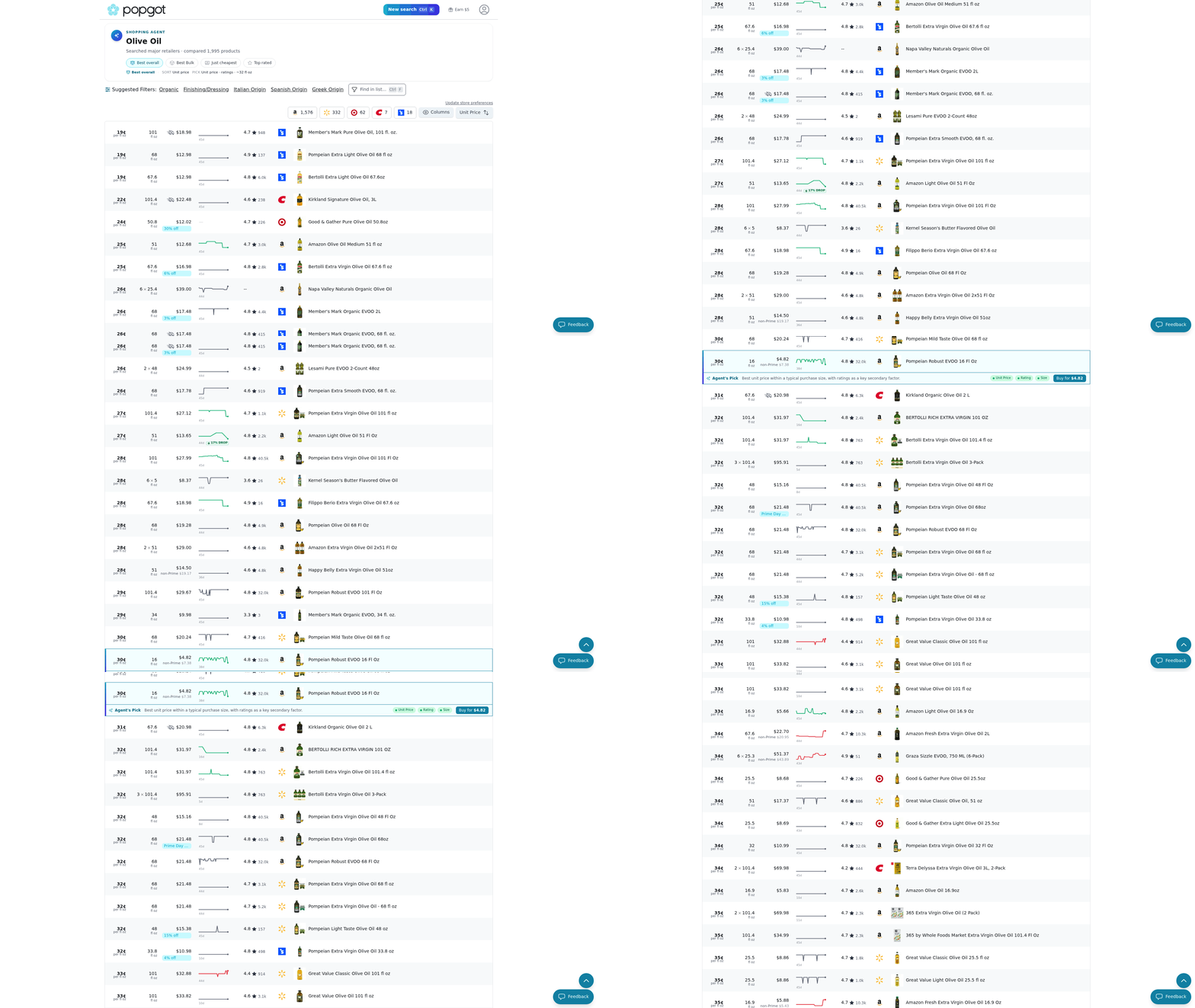
Start with your child's non-negotiables. A restriction like gluten-free or dairy-free isn't a preference; it's a hard filter. When your product finder screens those out automatically, you skip the label-reading marathon most parents already run.
Matching products to dietary needs
A dietary filter is a search setting that removes products containing ingredients your child can't have: gluten, dairy, nuts, added dyes.
Set your restrictions once, then let the search sort. If your kid reacts to dairy, you want every milk-based snack gone before you even scroll. This matters because food allergies hit a growing number of kids. Roughly 1 in 13 children in the U.S. has a food allergy, which means one careless label can turn a snack into a hospital trip.
Filtering upfront cuts that risk to a single setup. You define the rule, and products that break it never show up. That's the difference between hunting for what's safe and being handed a list that already is.
What to filter toward, not just away from
Beyond avoiding the bad stuff, look for what actively supports your child's development. Probiotics for gut health and omega-3 fatty acids for brain growth are two worth filtering toward, not just tolerating.
The trick is treating these as positive filters. Instead of only excluding allergens, tell the search to surface products that include the nutrients you want. A snack that's dairy-free and omega-3 rich beats one that just clears the "safe" bar.
That turns shopping into targeting. You're not settling for the least-bad option. You're finding the products that fit your child's health goals and their restrictions in the same search.
Why safety belongs in the filter, not the afterthought
A safety feature is a product characteristic that reduces accident risk, like non-toxic materials or child-secure packaging.
Safety is the filter parents skip until something goes wrong. Non-toxic materials matter for anything a toddler might chew. Secure packaging keeps supplements and cleaners out of small hands. Screen for these the way you screen for allergens: as a requirement, not an afterthought.
Once you've set dietary, health, and safety filters together, the results shrink to products that pass all three. That's the point. A short list you can trust instead of a long list you have to vet.
Set your filters once. Let the search hand you options that already fit. Your time goes to your kid, not to reading labels.
Customizable filters: tailoring searches to your family
Customizable filters let you set hard requirements before you shop, so every result already clears your family's rules. Instead of typing "fish oil" and scrolling through hundreds of near-misses, you tell the product finder exactly what a product must contain. Set a minimum EPA/DHA. Rule out artificial sweeteners. Cap the sugar per serving.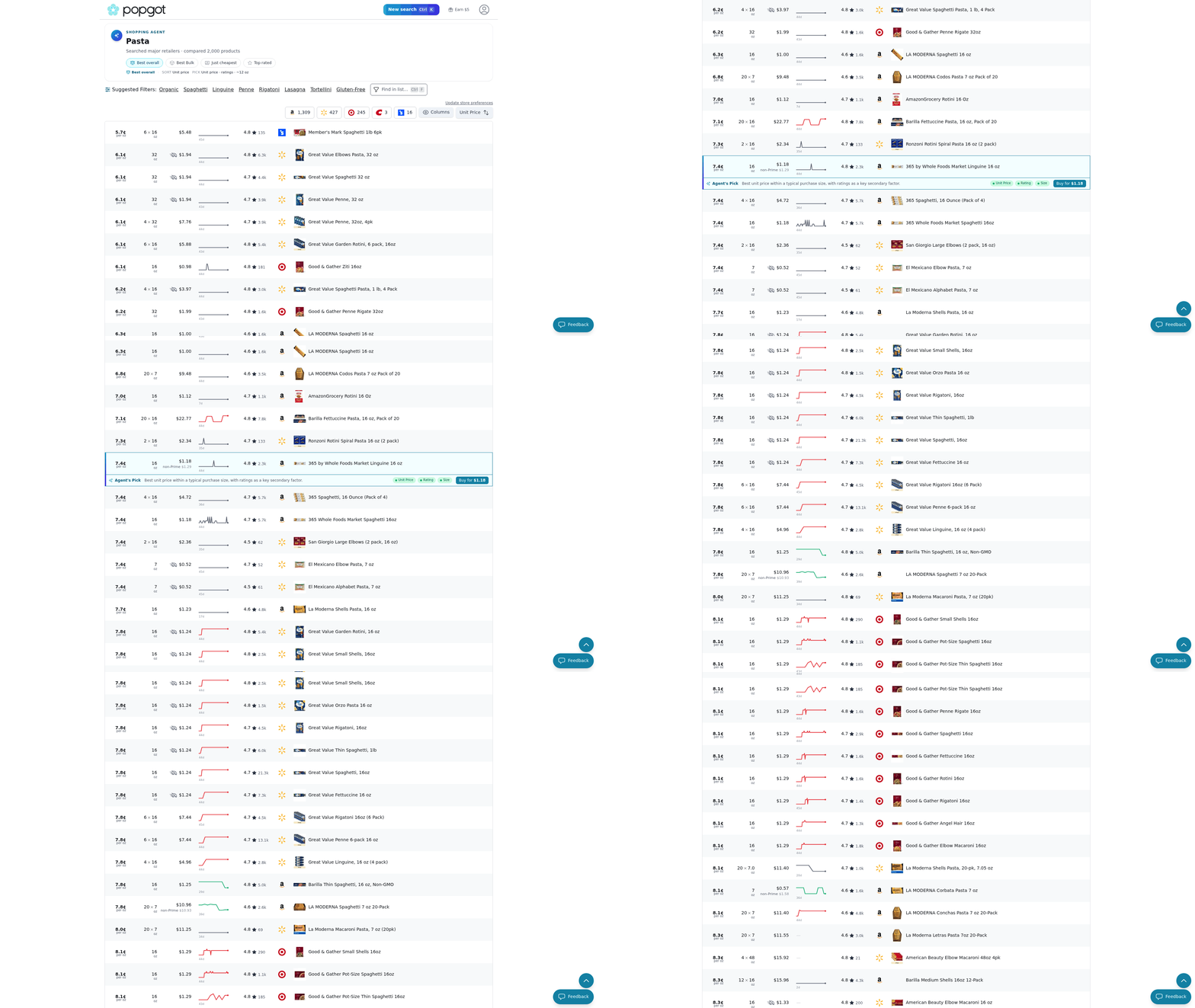
This is where a smart product finder earns its keep. These filters are built around the specs parents actually care about: dosage, allergens, clean ingredient lists. You define the threshold, and anything that falls short gets filtered out before it reaches your cart.
Setting a minimum dosage filter
A dosage filter hides any product falling below a nutrient amount you specify, like 1,000mg of EPA+DHA per serving.
Start with the spec that matters most. For fish oil, that's usually combined EPA and DHA, not the total oil weight on the front of the bottle. A "1200mg fish oil" might deliver only 600mg of the actives you want, and a dosage filter catches that gap instantly.
Type the requirement in plain language. The AI reads each label, confirms the real number, and drops anything that misses your floor. You see only products that genuinely meet the mark, sorted by what you pay per serving.
Stacking filters for real family needs
The power is in combining them. One child needs dairy-free. Another needs a specific vitamin D3 dose. Layer both into a single search and get results that satisfy every constraint at once.
Precise filtering also lowers your risk of a bad buy. Plenty of products carry hidden fillers, so a filter that screens out magnesium stearate or titanium dioxide runs that check for you every time, no label-squinting. Same goes for allergen cross-contamination warnings, which are easy to miss when you're scanning fine print in a hurry.
Skip heavy filtering for simple staples where any option works, like plain paper towels. But for supplements, formula, and anything with a dosage or allergen concern, lock your specs in first. For parents juggling multiple sets of dietary rules, good parenting resources pair well with tight filters to keep shopping fast and safe.
References
[1] Half of U.S. Shoppers Worried About Artificial Ingredients - https://www.acosta.group/half-of-u-s-shoppers-worried-about-artificial-ingredients/
[2] Most Americans Study Nutrition Labels Before They Buy - https://progressivegrocer.com/most-americans-study-nutrition-labels-they-buy-survey
Frequently Asked Questions
1. Is Popgot free to use, and how many retailers does it search?
Popgot compares prices across 8 major retailers in a single search, eliminating the need to open multiple browser tabs. The platform pulls verified product data, unit prices, and dietary information into one view, letting you compare options side by side without visiting each retailer's site individually.
2. Can a product finder help with children's food allergies specifically?
Product finders let you set allergen filters as hard requirements, removing unsafe items before they appear in results. This matters because roughly 1 in 13 U.S. children has a food allergy. Filtering upfront turns a label-reading marathon into a single setup, so dairy, nut, or gluten-containing products never surface.
3. How accurate is AI verification compared to reading labels myself?
AI verification can reduce errors by up to 90%, according to a study in the Journal of the American Medical Association. The system cross-checks extracted ingredient and dosage data against a trusted reference database, flagging discrepancies like out-of-range vitamin dosages that manual label-reading commonly misses during rushed shopping trips.
4. What's the difference between a product's listed weight and its actual active dosage?
Total product weight often overstates the active ingredients you actually want. A "1200mg fish oil" capsule might deliver only 600mg of combined EPA and DHA. A dosage filter reads each label, confirms the real active number, and hides products falling below your specified threshold, preventing overpaying for filler weight.
5. When should I skip using detailed filters while shopping?
Skip heavy filtering for simple staples where any option works, such as plain paper towels or basic pantry items. Reserve detailed filters for supplements, formula, and anything involving dosage or allergen concerns. This keeps shopping fast for low-risk purchases while maintaining scrutiny where safety and accuracy genuinely matter.
6. Why does unit pricing sometimes make a more expensive product the better deal?
Larger packages aren't always cheaper per unit, and sticker prices hide this. A $28 formula tub holding 40% more powder than a $24 option can cost less per ounce. Automatic unit price calculation breaks each product down to a standard measure, revealing which choice actually wins on value.
7. How do curated shopping guides differ from running my own search?
Curated guides are pre-filtered lists of three or four vetted products grouped around a specific need, like a toddler's first sunscreen. Searches require you to define filters yourself. Guides hand you expert-level selection without the effort, cutting a two-hour hunt to minutes when you have no time to research.