
7-Point Checklist to Google Compare Prices Before Your Popgot Grocery Run

Key Takeaways
- The checklist uses AI to check ingredient compliance against your dietary specs ("non-GMO," "2000 mg EPA/DHA") across 8+ retailers at once.
- Prices get compared per serving, per gram, or per count — so you see true cost, not the number on the front of the box.
- Ingredient lists get cross-referenced to filter out products with artificial sweeteners or other additives you've excluded.
- You control the depth: a quick single-item check, or a full shopping-list scan when the stakes are higher.
- Routine non-dietary stuff (paper towels) gets nothing from AI verification. Skip the checklist there.
- One search aggregates pricing from Amazon, Walmart, Target, and several more.
- Filtering by dietary spec first kills the manual label-reading slog before it starts.
Quick Summary
What this checklist does that unit pricing alone doesn't
Most price tools stop at unit pricing. This one starts there and adds ingredient-specific filtering. The AI checks each product against your dietary specs, high-protein thresholds, allergen exclusions, whatever you set, across the major online stores, and drops anything that doesn't qualify. Less manual cross-checking of labels against prices.
- Define dietary specs first (organic certifications, specific nutrient concentrations). Tell the AI exactly what you need, and it can focus verification on the ingredients and dosage that matter.
- Compare unit prices across stores in one search. The AI pulls pricing from multiple merchants so you don't tab through six sites.
- Check ingredient accuracy before buying. The AI cross-references each ingredient list against your specs.
Time vs. savings, and when to bother
You decide how deep to go. A single-item check is fast and rough. A full shopping-list review gives you real confidence on both compliance and price. Match the effort to how much the purchase actually matters.
- When to skip: For routine non-dietary items like cleaning supplies, AI verification adds nothing. A plain price check does the job.
This is built for people who'll trade a little convenience for transparency. If you just want fast picks with no strict rules, a regular price tracker is fine. For health-focused buyers, verifying ingredients is how you dodge hidden allergens, fillers, and mislabeled dosages.
What price comparison actually buys you
Done right, price comparison saves a household hundreds a year without forcing you to abandon dietary needs. A family on a gluten-free diet might spend 20% less on groceries by using ingredient filters to skip hidden gluten-containing products, which tend to run pricier anyway. And aggregating prices from multiple merchants in one search cuts into the 2–3 hours a week the average shopper spends hunting deals manually.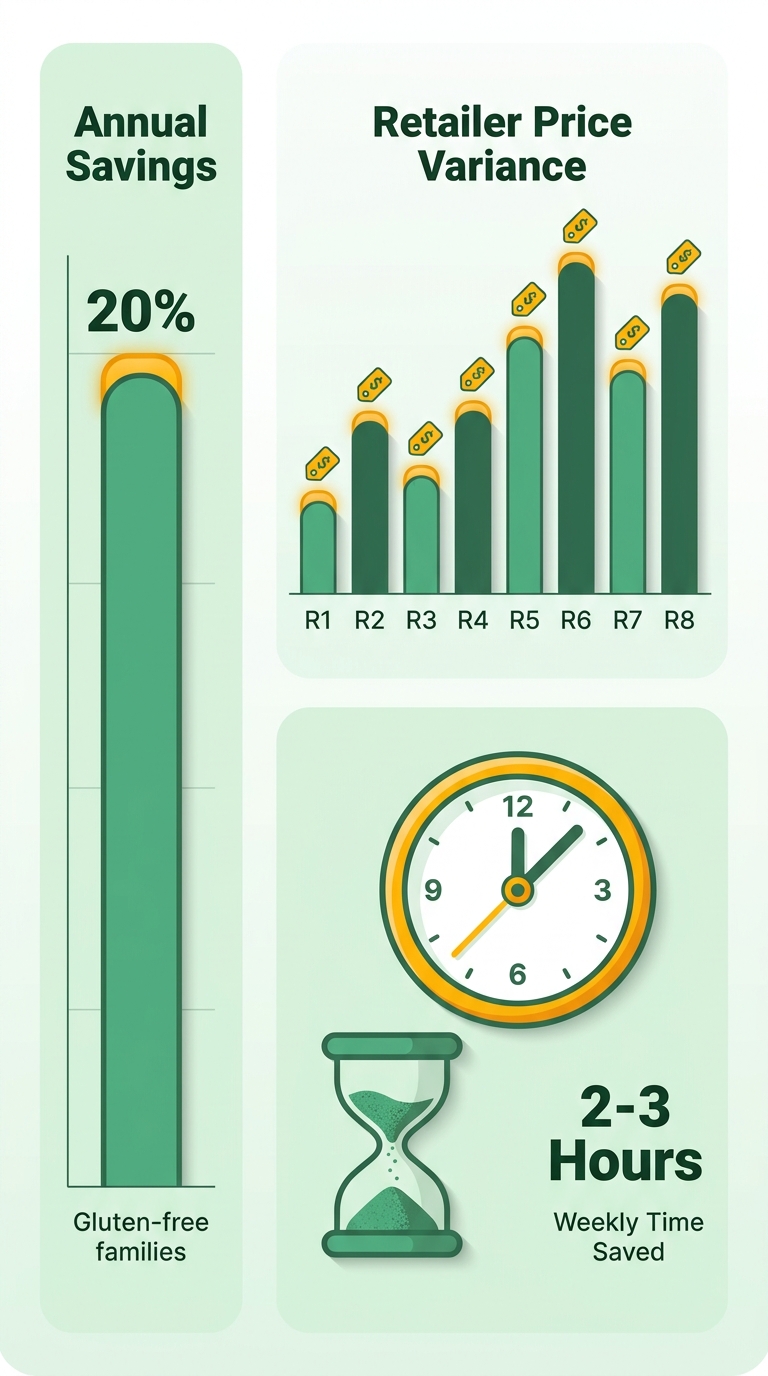
- Don't overpay for compliance: Without ingredient-level filtering, you risk buying a "low-sugar" item with hidden synthetic additives, then repurchasing the right one. Wasted time and money.
- Use real-time deals: Platforms like Google Shopping update prices live, so you don't miss a discount on organic produce or protein-heavy snacks.
Who gets the most out of ingredient-level filtering
People with strict dietary needs save the most: keto followers, anyone with a nut allergy, families managing diabetes. A parent buying dairy-free milk for a child with a severe milk protein allergy can set filters to exclude any product with whey or casein derivatives, so every result is both safe and competitively priced.
- Health-focused savings: AI verification takes the guesswork out of vague label terms like "natural flavors," which can hide allergens. That precision prevents costly returns or worse.
- Time efficiency: Manually cross-referencing ingredient lists across stores eats 30+ minutes a trip. Automation drops that to seconds.
One Reddit user described how outdated deal-alert services kept handing them dead links or irrelevant products, forcing a restart every time (thread here). A tool that verifies ingredients while comparing prices avoids that — every result is compliant and cost-checked. A family running this on verified organic baby food might save $150 a month by skipping non-compliant brands that charge 30% more for premium marketing.
By prioritizing verified specs, you stop buying things that don't fit your needs, which cuts food waste and repeat purchases. User reports on platforms like Google Shopping put the annual grocery savings as high as 15% for people who stick with it. The point isn't just cheaper items. It's making sure each purchase lines up with health goals while still maximizing value — the part generic price comparisons skip.
What makes a grocery list AI-ready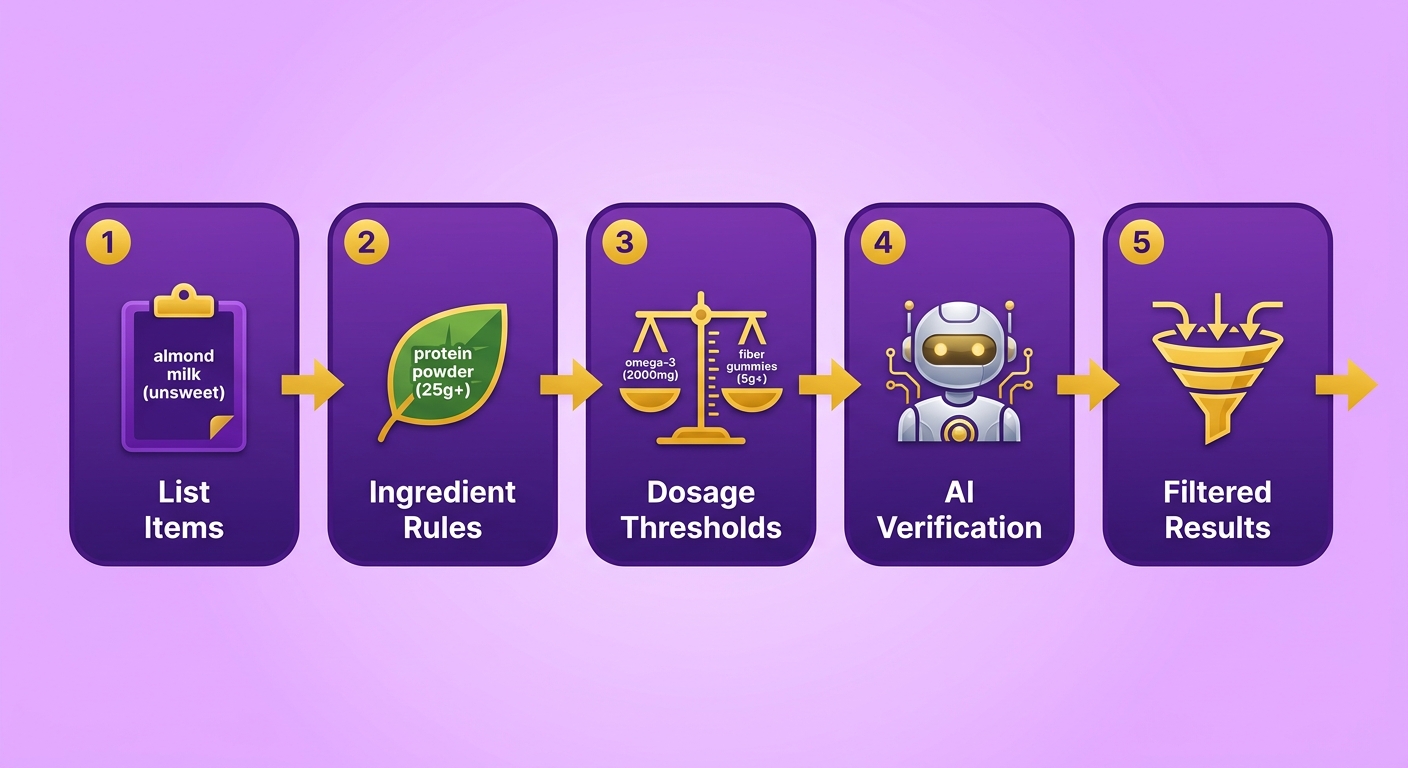
Item names aren't enough. To work with AI verification, your list needs dietary specs and price filters. List each item with its exact ingredient requirements, dosage thresholds, and compliance rules. That structure lets the AI narrow to products that actually qualify instead of burning time on ones that don't.
- Spell out ingredient rules: "almond milk (unsweetened, no carrageenan)" or "protein powder (high-protein, organic certification)."
- Set dosage or nutrient thresholds: "omega-3 supplement (high-potency EPA/DHA minimum)" or "fiber gummies (5 g+ per serving)."
- Block hidden additives: "no chemical sweeteners" or "no wheat-derived binders" to catch tricky labels.
- Define a price range: "under $15 per bottle" or "organic option within $20–$25."
Building a search-optimized list
Organize the list and you save time and avoid errors. Group items by category, attach retailer preferences, let the AI handle cross-store comparisons.
- Group by meal or purpose: "breakfast essentials," "supplements," "snacks." Keeps things from getting mixed up.
- Add retailer notes: "buy from store with bulk discounts" or "prioritize local pickup" where it matters.
- Let the AI auto-filter: Drop your list into Popgot's search to see which products meet your specs across stores.
Example list
- Protein powder: high-protein, organic, under $40.
- Omega-3 gummies: 1000 mg EPA/DHA per dose, no gelatin, $20–$30.
- Allergen-free oats: certified organic, 2 lb bag, under $10.
- Low-sodium soup base: <5 mg sodium per tsp, no hidden thickeners.
The AI flags oats with hidden wheat derivatives or supplements over your price ceiling, so you skip the manual checking.
A user on a heart-healthy diet recently saved several hours a week by filtering for hidden sodium, and cut their grocery budget by nearly a fifth in one month. More on the Popgot Walmart price checker
Searching and comparing prices across retailers
How to start your search
Open Google Shopping, set your dietary filters, compare across retailers. Type the product name plus ingredient rules, almond milk no carrageenan, into the search bar. It aggregates prices from Amazon, Walmart, Target, and more, and lets you sort by unit price. That's how you catch the lowest cost per ounce or gram instead of the lowest sticker price.
- Set ingredient filters first to narrow the field. Search protein powder organic plant-based to drop non-compliant products up front.
- Use price alerts for volatile items. Turmeric supplements, for one, swing about 15% week to week on supply factors.
- Watch retailer sales cycles. Target runs plant-based protein discounts on Thursdays; Costco has bulk savings for bigger households.
Verifying compliance and finding savings
Once you've got price matches, use the AI to confirm ingredient compliance and apply discounts. Popgot's verification layer flags hidden additives like chemical sweeteners or wheat-derived binders, so you're not cross-checking labels by hand.
- Scan specs with AI. A "low-sugar" yogurt might run on erythritol; the AI catches it if your rule says no chemical sweeteners.
- Apply promo codes and bulk discounts. A 12-pack of allergen-free bread came in 22% cheaper at Target with a recent digital coupon.
- Track holiday clearance. Supplements often drop 25% in end-of-year sales, but stockouts hit fast if you wait.
Example: A shopper comparing collagen peptides (15g+ per serving, grass-fed) found a 40% gap between Amazon ($29.99) and Walmart ($17.99). The AI flagged the cheaper one for corn starch, a common allergen. A $22.50 Target option kept compliance without overpaying.
For more on how the AI verification works, see how Popgot differs from traditional tools.
Optimizing the grocery list with Popgot
Optimizing in Popgot starts with refining your dietary specs and price filters through its AI search. It scans ingredient databases and real-time retail pricing to surface compliant, cost-effective picks. That speeds up decisions for anyone on a strict diet — low-carb, plant-based, allergen-sensitive.
- Input precise rules ("no high-fructose corn syrup," "20 g+ plant-based protein"). The AI filters out non-compliant products instantly.
- Compare prices with unit-cost sorting. A 32-oz almond milk might be $4.99 at one store but cheaper per ounce at another. The AI surfaces those gaps.
- Check the AI-verified compliance badges before you finalize, so products meet your rules (organic standards, "no artificial preservatives") with no hidden additives.
Getting your list into Popgot
Once the list is refined, export or sync it straight to your shopping app. No re-entering items by hand, which means fewer errors.
- Export as CSV or PDF for offline use or to share. A user with a severe wheat allergy might hand their allergen-free list to a partner.
- Sync with your delivery app (Instacart, Amazon Fresh) via Popgot's API, which locks prices at the time of optimization even if retail prices move later.
Case Study: A household managing egg allergies saved $120 a month by using Popgot's AI to find compliant, lower-cost snacks across merchants instead of paying up for specialty brands.
Ingredient-level compliance plus real-time pricing is what turns the weekly grocery slog into something closer to a system.
Finalizing the grocery run
Last checks before you commit
Before you finalize, confirm every item clears your dietary specs and your budget. Popgot's AI cross-checks ingredients against your rules while aggregating unit prices across retailers. That's what stops the last-minute surprises — a hidden additive, or a higher cost per serving you didn't catch.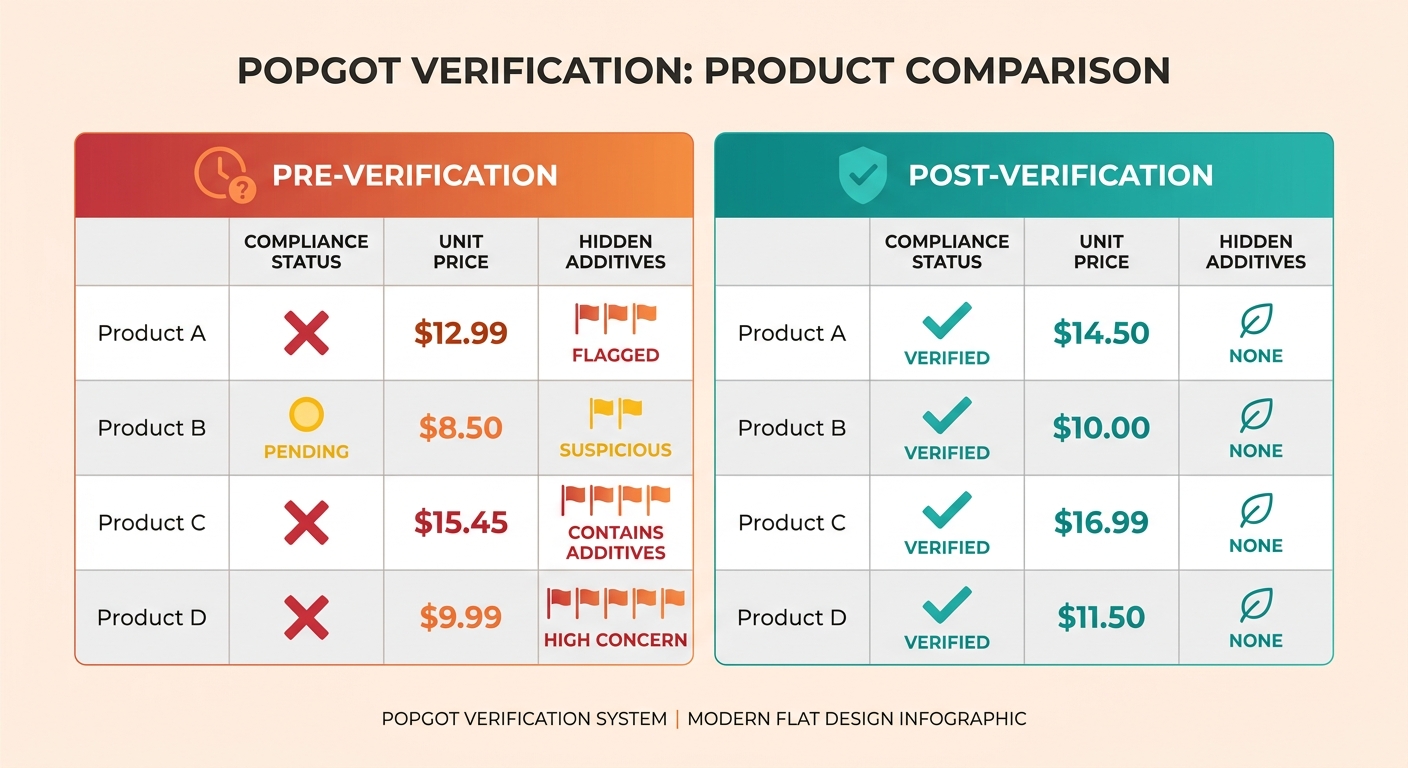
- Re-check compliance. Popgot flags non-compliant products (a "heart-healthy" item with hidden MSG) so you don't repurchase later.
- Confirm unit prices fit your budget. Some products look cheap until you compare cost across package sizes.
- Review substitutions. If a preferred item is out of stock, Popgot suggests alternatives with similar ingredients and lower prices.
Streamlining checkout
A clean checkout saves time and avoids errors. Use Popgot's bulk-edit feature to change quantities or swap items across retailers without refreshing the list. If one store has a bulk discount on a staple, the app adjusts to the better deal on its own.
- Set final price alerts. If a unit cost jumps above your threshold, Popgot tells you before you finalize.
- Generate a one-click list. Export to Amazon, Walmart, or Target to skip manual entry.
- Track savings live. Popgot shows total cost reductions versus non-optimized shopping.
A shopper on a low-FODMAP regimen verified their gut-friendly snacks had no high-fructose corn syrup and found a digestive supplement 25% cheaper at a wholesale club. They finalized in 15 minutes instead of the usual 45 — time saved, rules intact. Households report similar gains, especially with bulk verification across multiple items at once.
What I'd actually do next
The 7-point checklist works by pairing ingredient-level filters with real-time price comparison. To put it to work, start by refining your dietary specs (synthetic additive exclusions, protein minimums) and feeding them into Google Shopping or Popgot. The platform surfaces compliant products and aggregates the pricing for you.
- Define dietary rules first to narrow results.
- Set price alerts for seasonal drops (back-to-school sales).
- Review AI-verified substitutes when items are out of stock.
- Block hidden additives like wheat-derived binders up front.
- Re-check compliance before finalizing.
- Adjust the list monthly as your needs or the sales shift.
One household used Popgot's filters to exclude non-vegan items and cross-referenced prices on Amazon and Instacart for lower-cost staples like legume-based proteins. Over four months, their average weekly spend dropped by $22 — nutrient goals intact.
Staying on it
Consistency is the whole game. A household on a lactose-free diet trimmed $650 from annual expenses by refreshing their lists biweekly and using unit-price sorting to avoid overpaying for single-serving items. The Walmart price checker flags cheaper alternatives in real time.
For ongoing savings:
- Automate alerts for price drops on high-priority items.
- Compare retailers during sales cycles (Target's weekly deals).
- Audit your list quarterly for stale preferences or new rules.
Households running these habits save roughly $400–$600 a year, per internal data. Take that range with the usual grain of salt — savings depend heavily on what you buy and how strict your specs are. Start small. Refine one section of your list this week and build from there. The goal isn't a perfect system. It's steadily smarter, diet-aligned spending.
References
[1] Google Shopping - Shop Online, Compare Prices & Where to Buy - https://www.google.com/shopping?udm=28
Frequently Asked Questions
1. How does the AI ensure ingredient compliance with dietary specs?
The AI cross-references product labels against user-defined rules (such as chemical sweetener exclusions) in real time, filtering out non-compliant items across multiple online merchants. This eliminates manual label-checking and prevents hidden additives from slipping through.
2. Can traditional price comparison tools match AI-verified compliance?
No, traditional tools only compare unit prices without ingredient checks. AI tools like Popgot go further by verifying compliance with dietary rules, ensuring products meet health needs without hidden fillers or allergens.
3. How much time does AI verification save compared to manual checks?
AI reduces ingredient verification from half an hour per trip to seconds. A family saved several hours each week by automating checks for allergen-free and heart-healthy items.
4. When should I skip using the AI checklist?
Skip it for routine, non-dietary purchases like household cleaning supplies or generic snacks. AI adds minimal value here, and simple price comparisons suffice to save time.
5. How do I block hidden additives like gluten-containing thickeners?
Specify exact rules (e.g., "no wheat derivatives") in your Popgot list. The AI scans ingredient databases to flag products with hidden additives, ensuring compliance even if labels use ambiguous terms.
6. Can I set price alerts for fluctuating items like supplements?
Yes, Popgot lets you track price trends and set alerts for drops. Wellness products often vary in cost by double-digit percentages weekly, and alerts help you buy at the lowest point.
7. How do I optimize a grocery list for multiple dietary needs?
Input precise rules (e.g., protein minimums or heart-healthy constraints) into Popgot. The AI filters multiple stores by compliance and price, then syncs your optimized list directly to delivery apps for seamless checkout.