
Find This Product in Minutes and Cut Your Grocery Bill

Key Takeaways
- Popgot's AI scores products on safety and quality before you buy, reading ingredient data, sourcing, and reviews in seconds.
- Searches come back ranked, with a safety and quality score on each option instead of a wall of raw listings.
- Cheaper doesn't have to mean worse. The system surfaces value picks over the cheapest results.
- It flags questionable additives, weak sourcing, and thin review histories that most shoppers never bother to check.
- In an olive oil comparison, the mid-tier option won with a 9/10 safety and 8/10 quality score, beating both the budget and premium picks.
What the safety-and-quality score actually checks
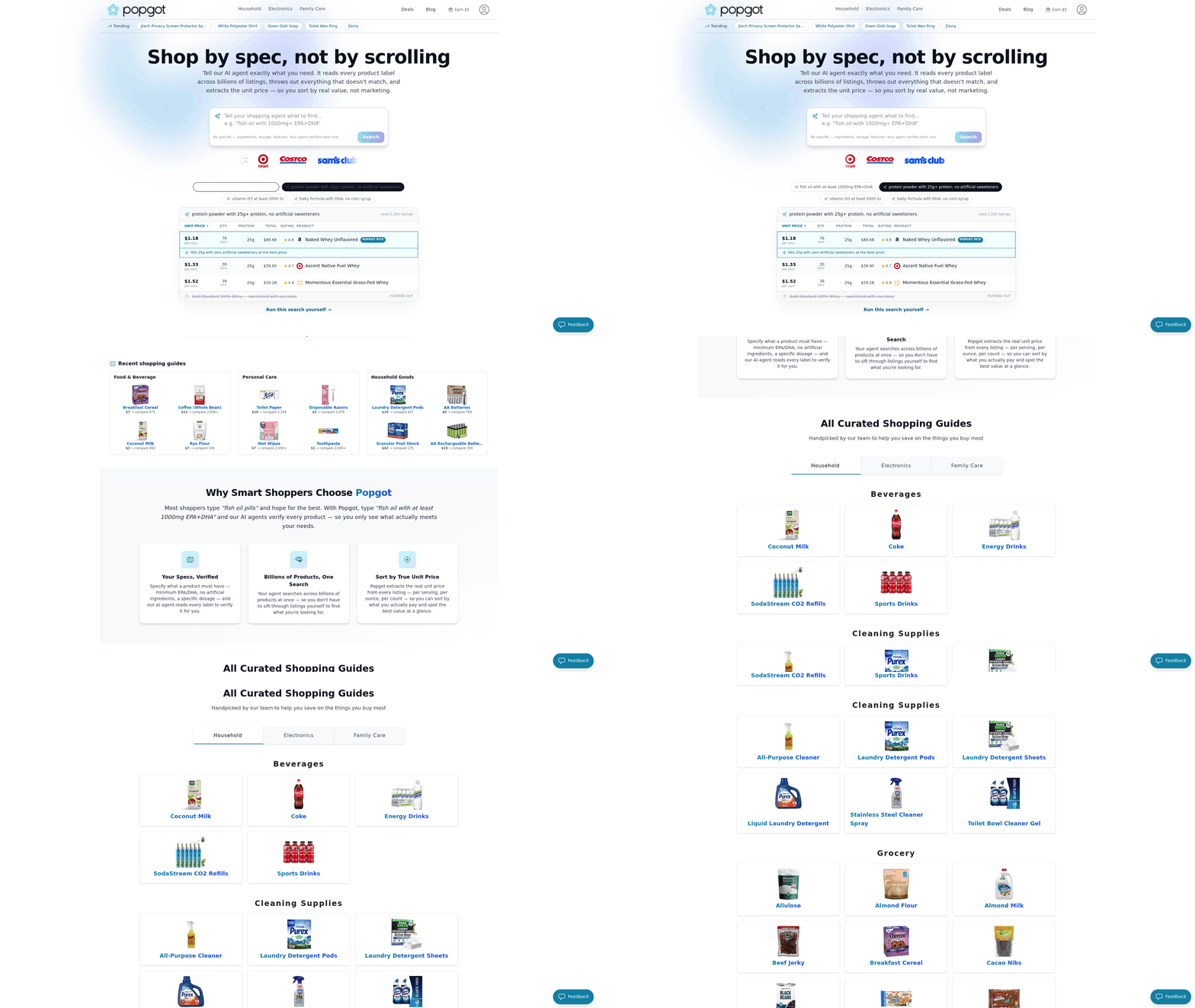
Cutting your grocery bill doesn't have to mean buying junk. Popgot scores each product on safety and quality before you commit, reading ingredient data, sourcing details, and user feedback, then handing you a clear rating in seconds.
Search for an item and you don't get a wall of listings. You get a ranked view with a safety and quality score attached to each option. So when the same product shows up across several sellers, you're comparing more than price.
How the score works
Product verification: an AI check that scores an item on safety and quality using ingredients, sourcing, and reviews, then ranks your options.
The system reads the details most people skip. It flags questionable additives, weak sourcing, and thin review histories. Then it pushes the stronger pick up the list, even when it wouldn't have been your first click.
Here's a comparison of three olive oils returned for the same search:
| Product | Safety Rating | Quality Rating |
|---|---|---|
| Option A (budget) | 6/10 | 5/10 |
| Option B (mid-tier) | 9/10 | 8/10 |
| Option C (premium) | 8/10 | 9/10 |
Option B wins. High on both metrics, without Option C's premium tag. Left to instinct, most shoppers grab Option A because it's cheapest, or Option C because it looks fancy. Neither is the smart buy here.
Why this beats a normal search
Regular search sorts by price, popularity, or ad spend. None of those tell you whether the thing is any good. The score adds the layer that's missing.
Want to see the logic side by side? The walkthrough on how to compare items on Amazon covers it in more detail.
The payoff is less time squinting at labels, more time filling your cart with things that earn the spot. Safer, better, cheaper, in one pass.
Compare the same product across Amazon, Walmart, and Target
The same product rarely costs the same at two stores. Popgot's multi-retailer search pulls prices from the major sellers into one view, so you compare specs and cost side by side. Find a product across Amazon, Walmart, and Target and the cheapest option is right there.
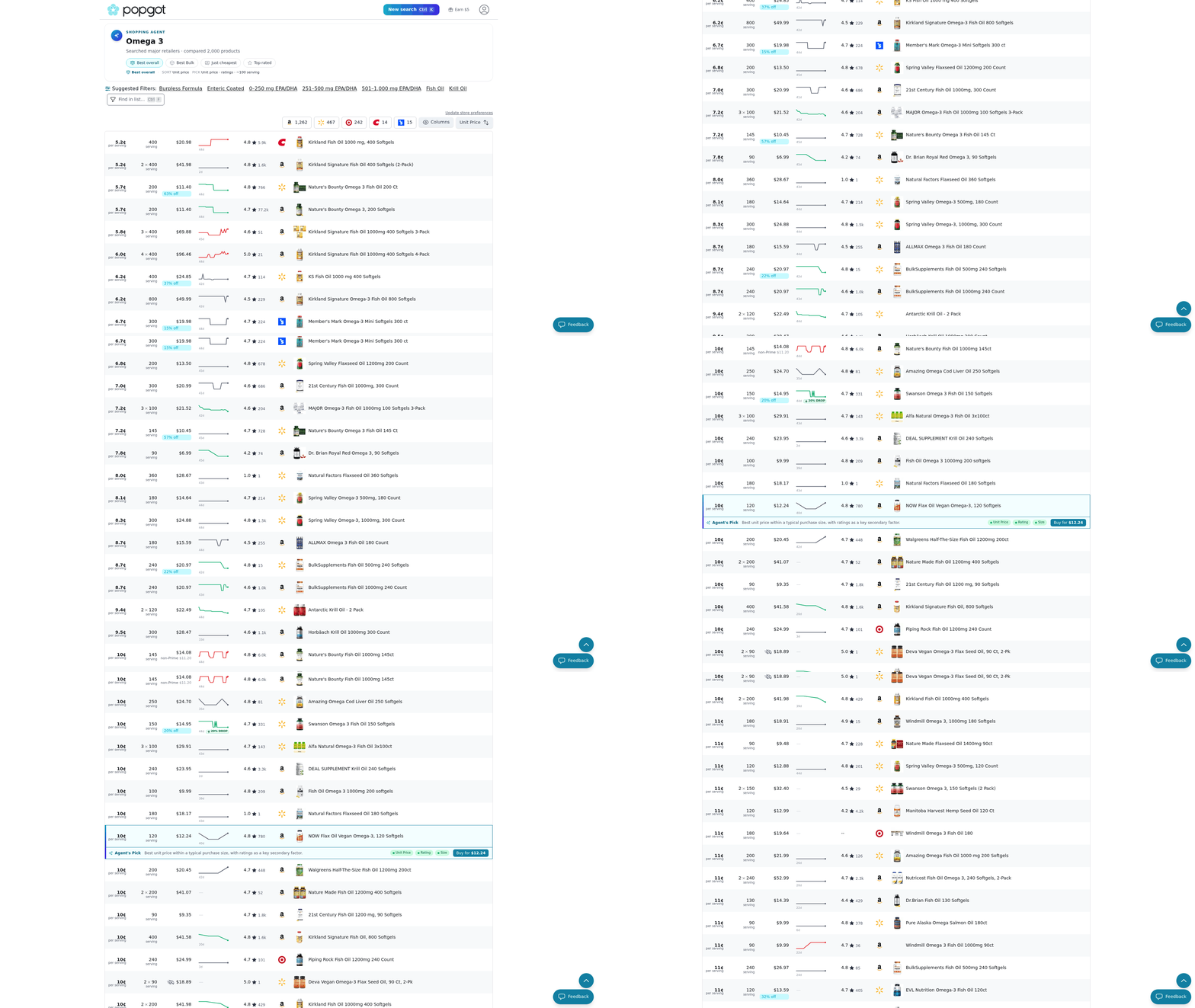
That kills the tab-juggling most people do by hand. Instead of opening three sites and eyeballing prices, you get one ranked list. The moment you find the item, the comparison already exists.
How the multi-retailer search works
Multi-retailer search: a single query that returns the same product's price and specs across several stores at once, ranked so the best deal sits on top.
You type in the item. Popgot scans the sellers it tracks, matches identical products, and lines them up:
| Product | Amazon | Walmart | Target |
|---|---|---|---|
| Dove Body Wash (22 oz) | $8.47 | $7.94 | $8.29 |
| Store-brand oat milk (64 oz) | $4.29 | $3.98 | $4.15 |
| Ground coffee (12 oz) | $9.99 | $9.48 | $9.79 |
These prices move constantly. A single item might swing 5% or more between stores in a given week, and the lowest name isn't always the one you'd guess. Sale events don't guarantee the best price either. That's why checking all three at once beats loyalty to one store.
Does comparing stores really cut the bill?
Yes. Small gaps add up fast across a full cart. Shave 30 to 70 cents on a dozen staples and that's real money back every week.
A shopper builds a weekly list of 25 items. By picking the lowest-priced seller for each one instead of defaulting to a single store, they trim close to 15% off the total. Nothing changes about what they buy. Only where each item comes from.
Same brands, same quantities. You just stop overpaying for the exact same thing.
Why shaving a few percent off groceries adds up
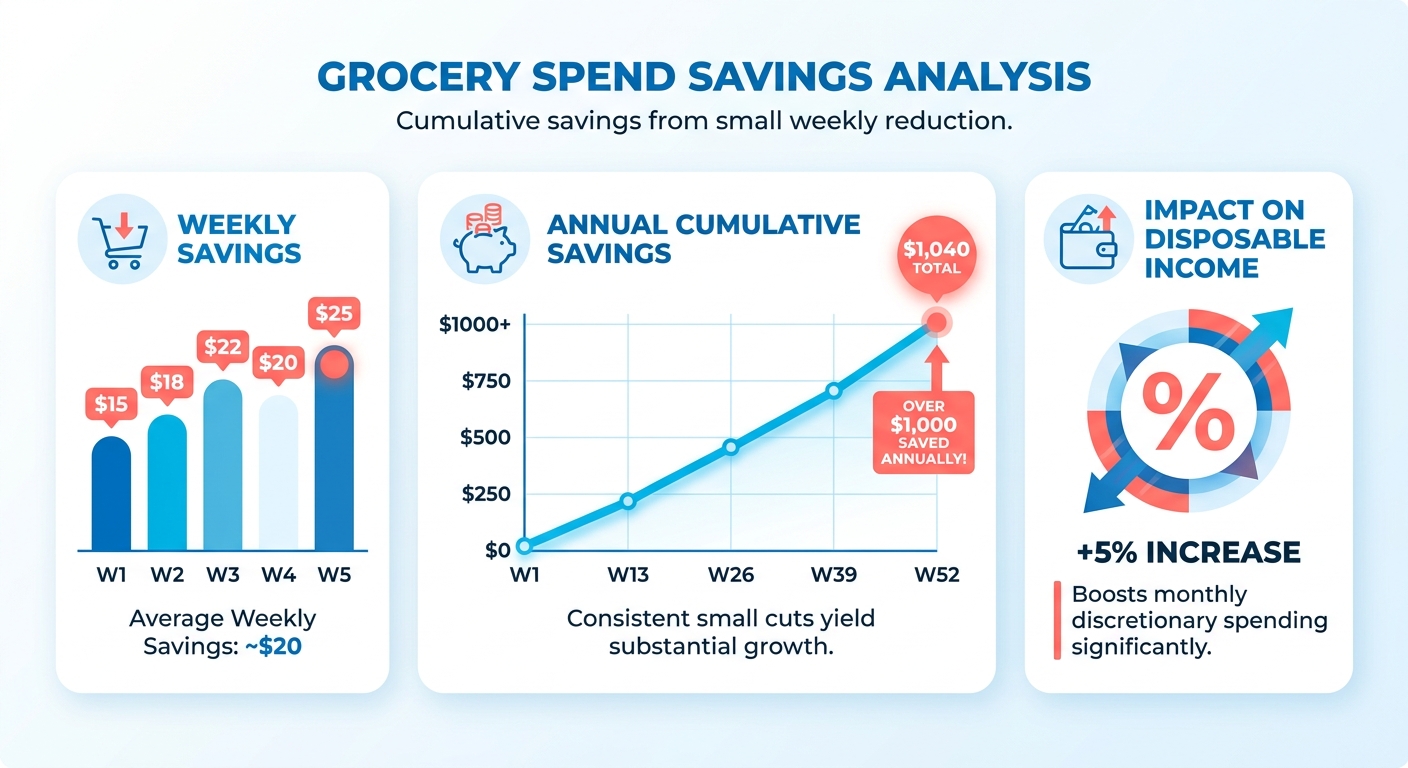
Price drives most shopping decisions, full stop. Cut even a small slice off your weekly food spend and it compounds into real money over a year. More cash left over, less wincing at the register.
Find a product at a lower price quickly and you stop overpaying by habit. Small choices stack up. Swap a few name-brand items or catch a better deal across stores and you free up money for savings or bills.
Why price weighs so heavily
Price sensitivity: how much cost decides whether a shopper buys an item or reaches for a cheaper one. For most people, it's the deciding factor.
Grocery prices have climbed, and shoppers feel it every trip. AARP's budget guide suggests substituting lower-cost ingredients and doing a pantry inventory before you shop. These stretch a tight budget without cutting into nutrition.
Picking your stores carefully and checking the ads helps too, as Mayo Credit Union points out. The catch is time. Comparing prices across three or four retailers by hand eats your whole evening.
What smart comparison actually fixes
Comparison tools solve two headaches at once: scattered pricing and dietary matching. You see costs side by side, and you filter for products that fit your needs. A frustrating hunt becomes a two-minute task.
Someone looking for organic black beans can see which local store has the lowest price per can without driving around. The savings show up right away, and you know the item fits your dietary requirement.
This is what shoppers keep asking for. Research on product discovery time surveyed 896 consumers and found faster discovery directly shapes whether they buy. Slow searches cost sales and patience.
A few problems this clears up:
- Scattered prices: the same item costs different amounts at different stores, and manual checking is slow.
- Dietary matching: finding products that fit allergies or restrictions takes extra digging.
- Impulse spending: Bankrate's grocery tips rank avoiding impulse buys near the top, and a focused search keeps you on task.
Who gets the most out of it
Health-conscious shoppers, parents, and anyone managing dietary needs gain the most. These groups buy specific items on repeat, so small per-item savings hit week after week. Over a year, that turns into hundreds of dollars.
Parents feeding a family feel every price bump on staples. Buying staples in bulk cuts cost per unit, one Business Insider writer explains after using a system that halved their grocery bill. Pair bulk buys with accurate unit pricing and the math gets obvious.
Shoppers with allergies or restrictions win differently. For them the payoff is finding the right product at a fair price without reading a dozen labels. When cost and dietary fit line up in one view, healthy eating stops feeling like a luxury.
Filter by ingredient or dietary rule before you cart anything
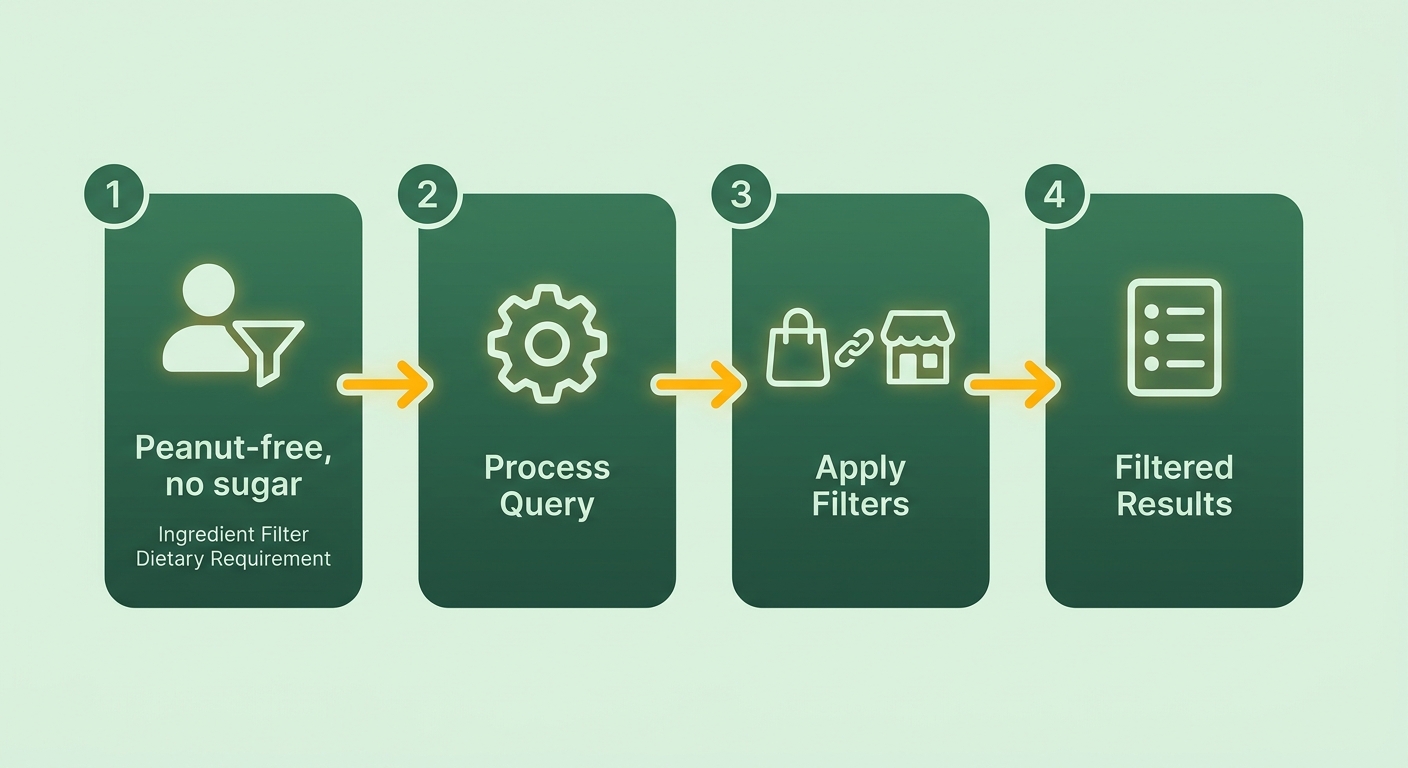
Search filters let you narrow results by ingredient, dietary need, or specific requirement before anything hits your cart. Set your parameters once and you find the product without scrolling past dozens that don't fit. It's the fastest way to match a purchase to a real need.
Say you want a peanut-free granola bar with no added sugar. Enter the item, flip on those two filters, and the results shrink to only what qualifies. Shop this way and you skip the label-reading marathon entirely.
How the filters work
Customizable filters: search parameters that screen products by ingredient, allergen, or dietary requirement so only matching items appear in your results.
Start with a search term, then stack filters on top. Want gluten-free? Toggle it. Need to avoid a specific additive? Add that rule too. Each filter trims the list further, so what's left already meets every condition you set.
Less time checking packages, more time comparing the options that actually work. That matters most when you're shopping for a household with allergies or strict dietary rules.
Bankrate's savings guide backs this with a related tip: get flexible on ingredients. Filtering by requirement instead of a single brand opens you to cheaper alternatives that still fit. A store-brand oat milk that passes your dairy-free filter often costs less than the name-brand version right next to it.
A filtering example
A home cook feeding guests with different dietary restrictions can filter pasta sauces to exclude both dairy and added sugars. That isolates the compliant options across a bunch of brands in one shot.
From there, compare price across the qualifying options and pick the cheapest. Filter first, compare second. That's how flexible shoppers trim their bills without giving up their requirements.
Filter tight, stay open on brand, let the cheaper qualifying option win.
Turn a vague need into a ranked, verified match
Popgot's AI agent turns a vague need into a ranked, verified match in one search. You describe what you want, ingredient rules included, and the agent matches listings against those exact requirements. No scrolling. No guessing whether a product actually fits.
That speed matters because manual searching burns time. Opening store tabs, reading labels, cross-checking specs by hand, all of it stretches a simple purchase into a chore. The agent collapses the work, so when you need a specific item, the answer arrives in seconds.
Finding a product that meets your ingredient rules
Start with a plain-language search that names your must-haves. The agent reads your requirements, scans the sellers it tracks, and returns only products that qualify.
Someone after a sulfate-free shampoo with no added fragrance can type those exact terms and skip the marketing fluff. Instead of a hundred bottles, you get a short list where every option already passes both rules.
Each result carries verified specs, so you're not trusting a marketing blurb. The agent checks the ingredient and product data behind each listing and confirms it matches what you asked for. That check is what keeps the results honest.
Why the search feels fast
Fast product identification: a single query that matches your stated needs against verified listings, then ranks the qualifying results.
The speed comes from doing three things at once. The agent reads your request, drops anything that fails your rules, and confirms each remaining product's specs before showing it.
Set your parameters once and every future search runs against them. You spend your minutes deciding between two good options instead of wading through fifty bad ones. Less time hunting, more of your budget going where you want it.
The sticker price lies. Unit pricing tells the truth.
A bigger box or a bulk pack often costs more per serving than the smaller one next to it, and most shoppers never do the math at the shelf. Popgot pulls the real unit price from every listing, so you can sort by what you actually pay.
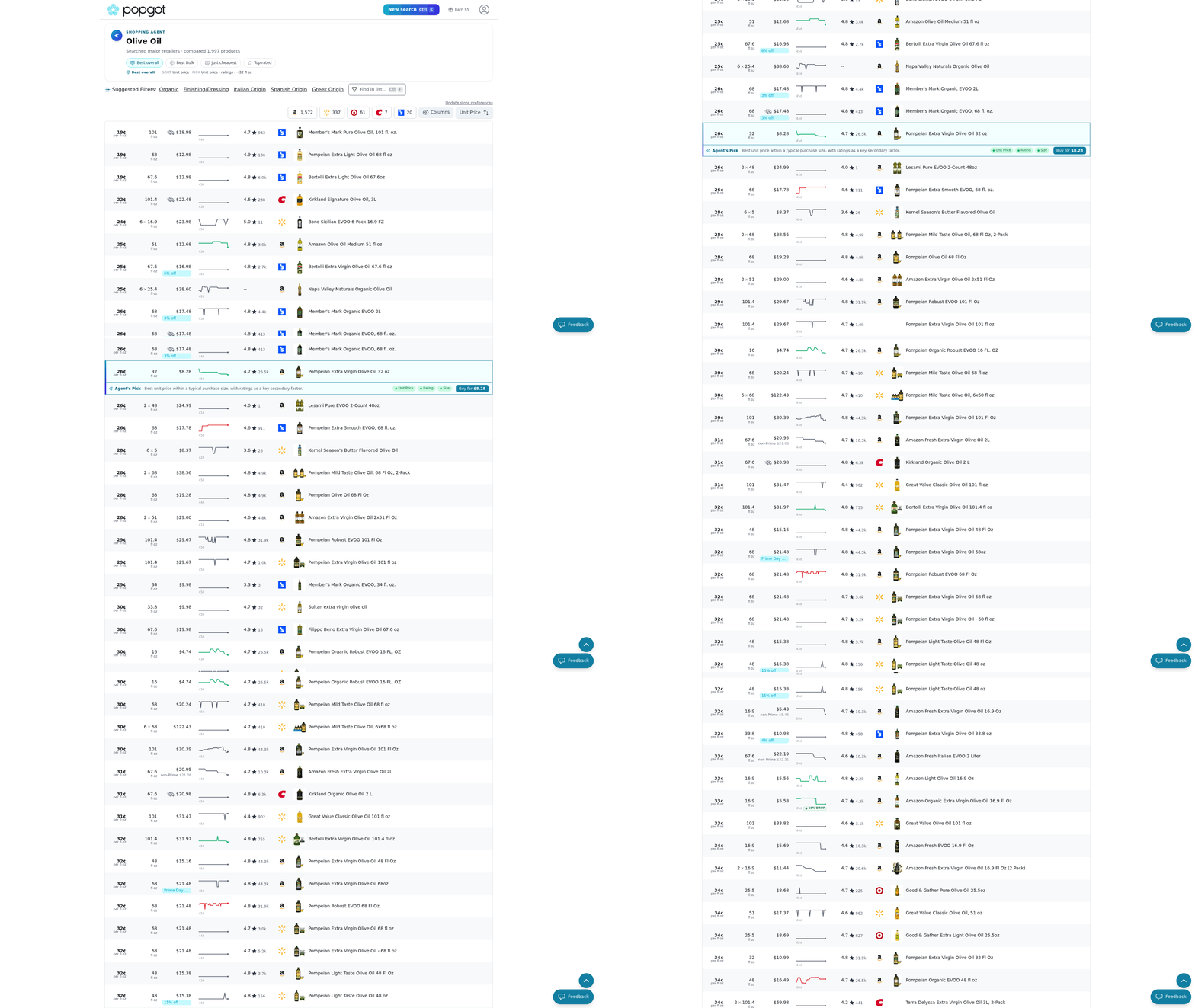
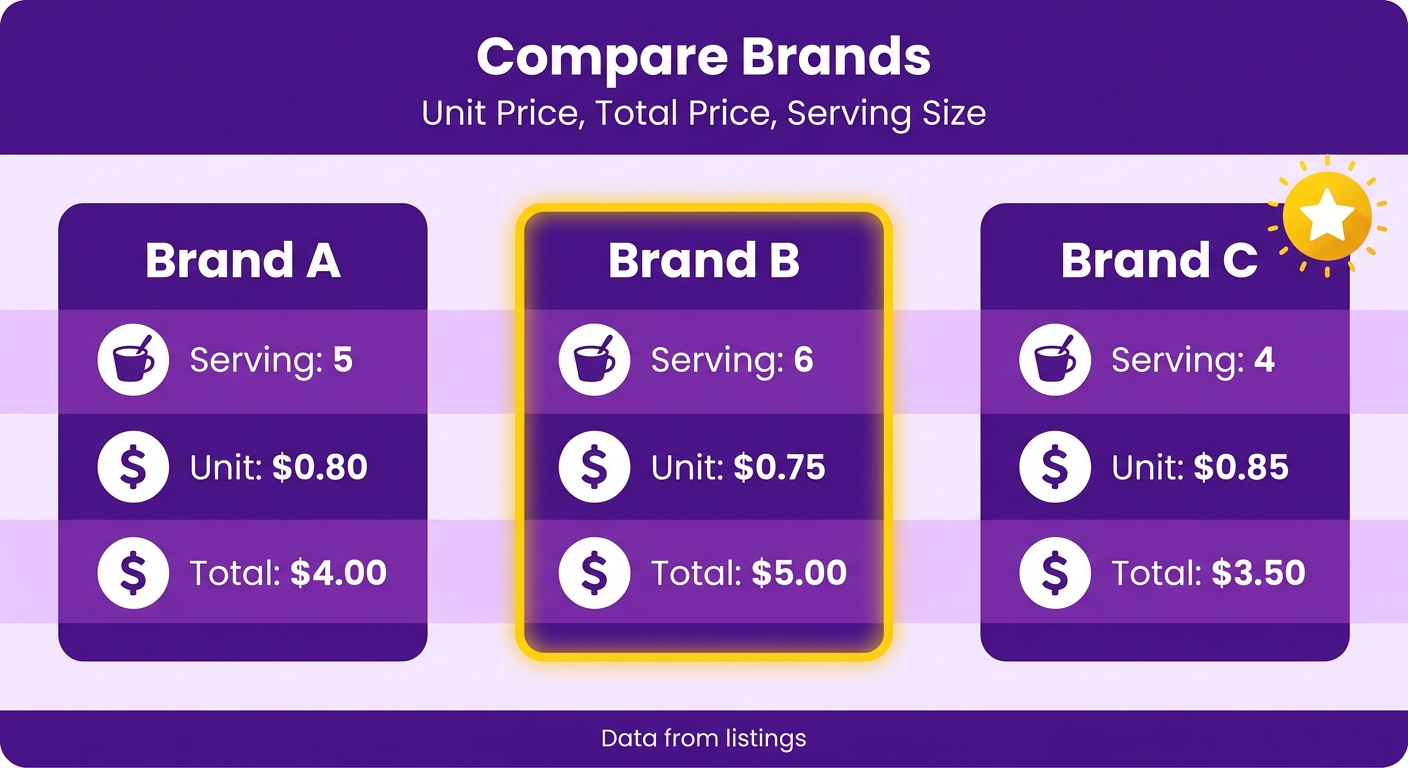
That's the fastest way to spot a real deal. Find a product across several sellers and the agent shows you the cost per serving, per ounce, or per count right in the results. No calculator, no squinting at tiny shelf tags.
How unit pricing works
Unit price: the real cost of a product broken down to a single comparable measure like per serving or per ounce, extracted automatically from each listing.
Take a fish oil search with a minimum of 1,000mg EPA+DHA. Here's the ranked view once anything below spec drops out:
| Unit price | Qty | EPA+DHA | Total | Product |
|---|---|---|---|---|
| $0.38/serv | 60 serv | 1,280mg | $22.80 | Nordic Naturals Ultimate Omega (our pick) |
| $0.44/serv | 45 serv | 1,040mg | $19.80 | Sports Research Triple Strength |
| $0.51/serv | 90 serv | 1,100mg | $45.90 | Kirkland Signature Fish Oil |
Look at the third row. The 90-serving bottle has the biggest total price, so it feels like the bulk value. But at $0.51 per serving, it's the most expensive of the three. And the cheapest total ($19.80) isn't the cheapest per serving either. Unit price is the only number that tells the truth.
Why buy only what you need
Bulk isn't always cheaper, and it isn't always smart. Buying only what you'll use is one of the simplest ways to cut your bill, and unit pricing is how you enforce that. Showing the real per-serving cost right in the results makes it easy to compare sizes and pick the one that actually saves money.
A giant pack you won't finish before it expires is money in the trash, no matter how good the per-ounce rate looks. Sort by unit price, check the quantity, buy the size that fits your actual use. That's where the savings hold up over a year.
References
[1] The 7-Step System I Used to Cut My Grocery Bill in Half - https://www.businessinsider.com/system-used-to-cut-grocery-bill-in-half-2025-4
[2] How to Stretch Your Budget Amid Rising Grocery Prices - AARP - https://www.aarp.org/money/personal-finance/how-to-stretch-your-food-budget/
[3] Six Ways to Bring Down Your Grocery Bill - https://mayocreditunion.org/post/six_ways_to_bring_down_your_grocery_bill.html
[4] 12 ways to save money on groceries: Bankrate experts' best tips - https://www.bankrate.com/banking/savings/ways-to-save-money-on-groceries/
Frequently Asked Questions
1. Does Popgot work for non-food items like household or personal care products?
Popgot verifies and compares products beyond groceries, including personal care and household items. You can search for sulfate-free shampoo, fragrance-free formulas, or body wash across retailers. The same ingredient filtering, unit pricing, and multi-store comparison apply, so cleaning supplies and toiletries benefit from the same verification logic.
2. How current are the prices Popgot shows across different stores?
Prices update frequently because grocery costs shift often, with single items swinging 5% or more between stores in a given week. Popgot pulls live data from tracked sellers like Amazon, Walmart, and Target, so comparisons reflect recent pricing rather than outdated numbers stored from previous searches.
3. What happens if a product has very few reviews to analyze?
Popgot flags thin review histories as a factor that lowers a product's verification score. Instead of ignoring sparse feedback, the system treats limited data as a caution signal, weighting ingredient quality and sourcing details more heavily so a shortage of reviews doesn't produce a falsely confident rating.
4. Can I save my dietary filters so I don't reset them every search?
Set your parameters once, and every future search runs against them automatically. If you follow a gluten-free, dairy-free, or low-sodium diet, your requirements persist across sessions. This means repeat shoppers spend minutes comparing two qualifying options rather than reapplying the same allergen rules on each visit.
5. Why did the premium olive oil lose despite scoring high on quality?
Value combines rating strength with price, not quality alone. The premium option earned a strong quality mark but carried a higher cost that didn't match its scores. The mid-tier pick delivered nearly equal quality and higher safety at a lower price, making it the better overall value.
6. Is buying in bulk always the cheaper option for staples?
Bulk isn't always cheaper or smarter. A larger pack can cost more per serving than a smaller one beside it, and unfinished products that expire waste money regardless of the per-ounce rate. Sorting by unit price and matching quantity to actual use reveals the genuinely economical size.
7. How does Popgot help shoppers with food allergies specifically?
Popgot lets allergy-conscious shoppers filter by allergen before adding anything to the cart, so only compliant products appear. Instead of reading a dozen labels for peanut, gluten, or dairy content, you toggle requirements and compare qualifying items by price, combining safety and savings in a single view.